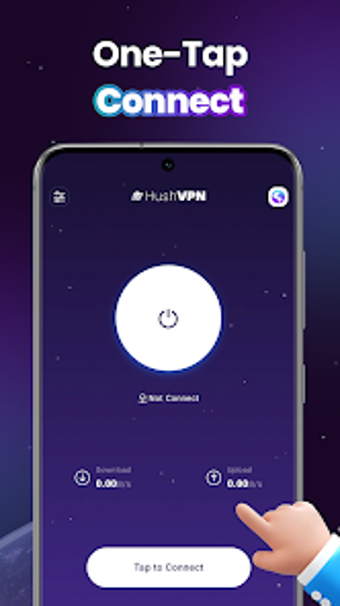
Simple one-tap VPN for Android with global server access
Creates an encrypted VPN tunnel with a one-tap connect and disconnect workflow, routing Android traffic through selected server locations. The developer, ahmed tawfik, builds this free utilities-tools app around a zero-configuration model, offering a clear controls interface and real-time connection status. HushVPN targets Android users who frequent public Wi-Fi and need a quick way to mask activity or change virtual location without manual network setup or specialist knowledge.
What the app does and how it works
HushVPN establishes an encrypted VPN tunnel and presents server choices before connecting, so users select a location then tap to start a protected session. The app shows connection information in real time, and the one-tap quick connection and disconnection feature removes manual profile setup. Core actions are:
- Select server location
- Tap connect or disconnect
- View live connection status
How it affects device networking and overhead
The app describes itself as a lightweight utility for mobile network management, which implies a small system footprint during operation. Because it focuses on simple VPN functionality rather than background services, typical use is limited to active sessions where traffic routes through the tunnel. The interface requires no complex configuration for standard use, which reduces the number of background processes a user must manage on their device.
Safety, permissions and suitability for public Wi-Fi
HushVPN encrypts network traffic through a secure tunnel, a behaviour suited to shared or unsecured networks. The app's model of immediate connection without manual routing rules means it operates with the permissions needed to create a VPN interface and then present live status to the user. For people who regularly use public Wi-Fi, the app's encrypted tunnel and visible connection status provide a straightforward way to add a privacy layer.
Practical recommendation for non-technical mobile users
HushVPN is a pragmatic choice for Android users who want fast, no-configuration privacy on public networks. The app favours immediacy and clarity over advanced routing or customization, so technical users who need granular controls may find it limited. Recommended.